post
ickza: a dayz radar over dma
For the past while we've been building a DayZ ESP and radar, and it's grown into the biggest thing we've made: about 15,000 lines of C++ across the overlay, a radar screen, an offset dumper and a live stats dashboard. This post is a tour of how it fits together.
the setup: two pcs
Nothing runs on the gaming PC except the game. A PCIe DMA card sits in that machine and reads its memory, and the card is driven from a laptop through MemProcFS / LeechCore. Ickza runs on the laptop.
The laptop has two jobs. Its fullscreen output goes through a fuser, which lays it over the gaming PC's picture, so boxes and bones show up on top of the game. Its own screen shows the radar.
[ gaming pc ] --pcie dma card--> [ laptop: Ickza ]
      |                              |          |
      |                         fuser output   own screen
      v                              |          |
 [ monitor ] <---- overlay ----------+       [ radar ]
drawing for a fuser
The fuser treats pure black as "see-through". That sounds simple until you try to draw nice smooth shapes. An anti-aliased edge fades towards black, so the fuser keys out half of it and you're left with ragged fringes around everything.
So the fullscreen view is drawn aliased on
purpose, on the GPU with a plain 8-bit swap chain. Text shadows are
RGB(1,1,1) instead of black: one step off, so the fuser
still shows them. The radar is on the laptop's own screen and never goes
through the fuser, so that one gets anti-aliasing and filtered map
textures.
The other problem is latency. By the time a frame has been read over DMA, drawn and shown, the camera has moved, so boxes drift behind targets when you turn. Ickza predicts the camera a few milliseconds ahead to cover that gap. The amount is a setting you tune live until the boxes stay on target.
the radar
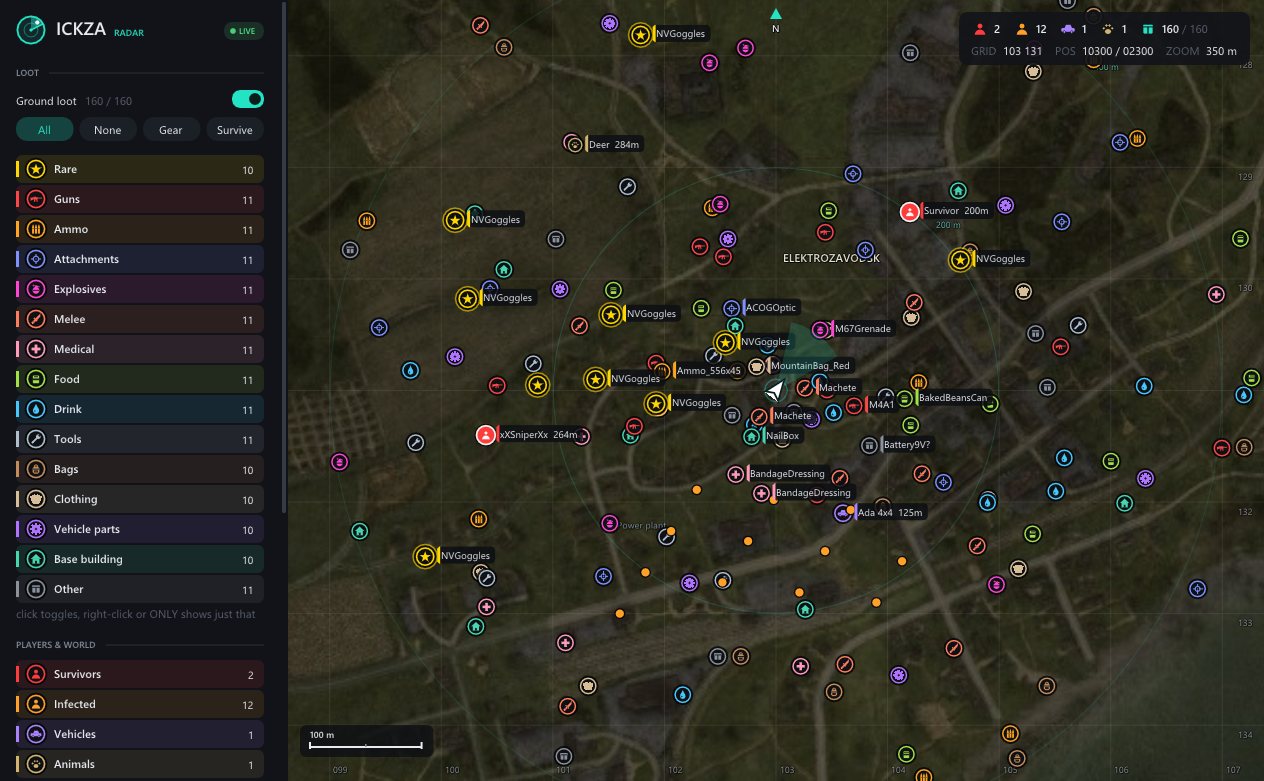
The radar is a north-up map centred on you, built on Dear ImGui and D3D11. Each loot item gets a round badge with a small icon and a colour for its category: guns, ammo, attachments, medical, food, tools, clothing, vehicle parts and so on. Survivors get a heading line so you can see which way they're facing.
An item's category comes from a few places, in order: a
dayz_rare.txt list (NVGs, plate carriers, M4s and so on,
drawn gold and bigger), your own overrides, the item's engine class
from RTTI (Weapon → gun, Magazine → ammo),
then built-in classname rules.
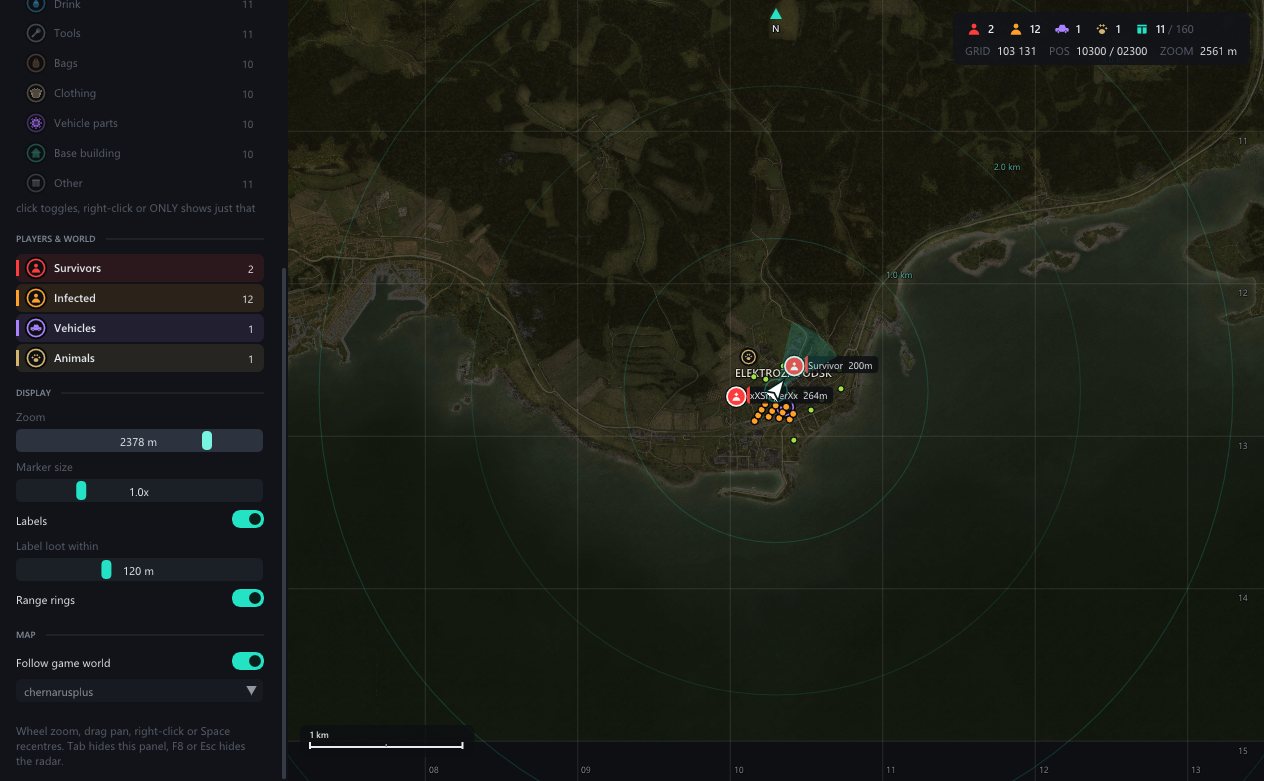
When you zoom out far enough, badges turn into coloured dots so a whole town's loot still reads at a glance. Click a category to toggle it, right-click to show only that category.
acdump: finding the offsets
Game updates move things around, and hand-hunting offsets every patch gets old fast. So there's a second tool, acdump, that does it automatically. MSVC leaves RTTI in the binary: every vtable has a pointer just before it to a Complete Object Locator, which leads to the class name and its base classes. acdump walks those to find the entity classes by name.
Then it samples the live entities' memory over time and works out which
bytes act like a position, a rotation, health or a name. DayZ keeps
position and orientation in a separate VisualState object,
so it follows pointers one level deep too. Out the other end come
offsets.h, structs.h, a JSON dump and an
ida_apply.py to label everything in IDA.
knowing why it's slow
DMA reads aren't free, and when the overlay stutters you want to know why. The DMA layer and the ESP loops feed lock-free counters and latency histograms (p50 / p95 / p99). A 1 Hz sampler keeps five minutes of history, and a small set of rules guesses where the bottleneck is. All of it is served as a web dashboard straight from the exe, with a button to benchmark the link.
the boring bits that matter
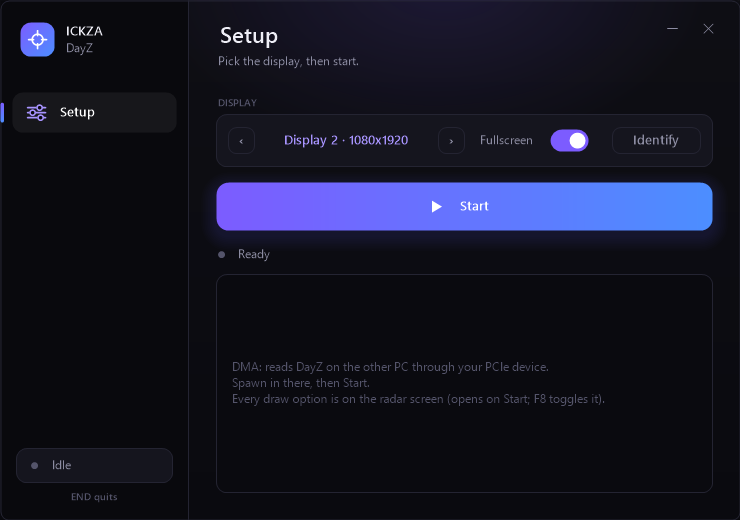
Setup is one screen: pick a display, press Start. Every draw option
lives on the radar's side panel. On the dev side, one
deploy.bat builds, shrinks the map images and copies
everything to the laptop over a network share. A running copy notices
the update and restarts itself. Crashes write a line you can decode
against the linker map, which has saved a lot of guesswork.
what's next
More maps are already in (Chernarus, Livonia, Namalsk, Sakhal, Deadfall, Banov, Takistan, Alteria), more radar features are coming, and I'll write up the RTTI dumper properly in its own post. Questions? Come ask in the Discord.